It may be possible to work on a cramped desk, in a poor light , with a far-away-placed computer screen, but none of these is good for your health. When you hold yourself in bad positions, you may get problems with your musculo-skeletal or nervous systems . If you already have a condition like arthritis or diabetes, it will make odds worse.
Below is how to set up an ergonomic home office
A Space For Leg Is A Priority
Any work surface you choose, it better provide a plenty of space for your knees, feet, and thighs. Drawers and cabinets can keep you from getting as close to your computer as you should, so you may avoid sitting in front of them. If a higher surface is needed, use something like, bricks or blocks to prop up your table legs or desk.
Take care of your back
An office chair with low back support is best for a healthy posture . The chair should let your knees stay level with your hips. You can Pad it with a seat cushion and place a rolled-up towel behind your lower back. Adjust the armrests of your chair ,if any, so your shoulders stay relaxed.
Feet should be supported
If you cannot keep your feet flat on the ground, your posture is not right. use a footrest if your chair doesn’t allow that to happen, . You can also place a small stack of books or other stuff under your feet.
Screen Should Be at Eye Level
Your screen should not be too low and you should not need to tuck your neck into chest to see it.Place your screen on a surface that’s arm’s length away and eye level.
Get the Right Angle With Two Screens
If you work with 2 screens, put the one you use the most on the desk in front of you, and the other off to the side. If you work on both screens equally, place them beside each other so that their edges touch, angling them slightly toward you.
Get the Lighting Just Right

To reduce glare, set up your work-space to the side of a window , not in front of or behind you. Adjust your blinds or pull down your shades on sunny days because your screen should be brighter than surrounding daylight
Take Breaks Frequently
Try to take a 1- to 2-minute break every 20 to 30 minutes that you’re at the desk. Stand and gently stretch.
Keep Keyboard within Reach
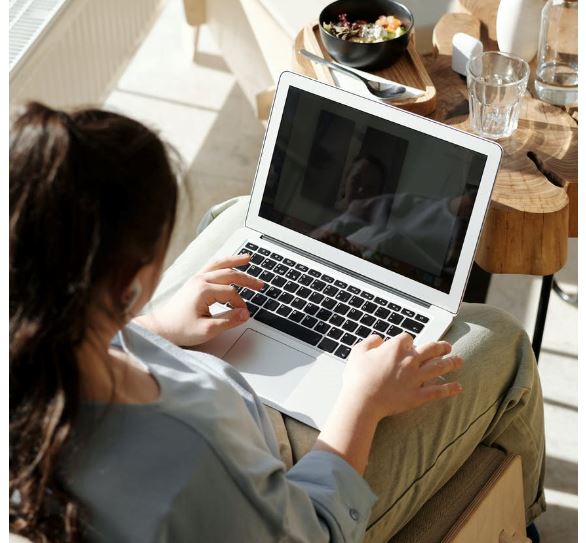
Stretching to reach your keyboard will strain your arms. your wrists should be straight ,when typing or using a mouse, and your elbows close to your body, and your hands even with your elbows or just slightly lower.
Cushion Your Wrists
Don’t let your wrists press against hard surfaces, use a wrist rest. You can also pad hard edges of your desk or table with a folded piece of cloth.
Make The Phone Hands-Free

Place your phone in speaker mode or use a headset, especially if you type or write at the same time. You may also want to prop it up on a tablet stand.
Observe the 20-20-20 Rule
The rule is as follows: for every 20 minutes that you look at the screen, take 20 seconds to stare at something else about 20 feet away. This allows your eyes to rest and protect against eye strain and dryness.
Use Your Sofa as A Support

Do you sit on your Couch while you work? Place a pillow behind you to help stay upright. A rolled-up towel at the base of your spine can offer extra low-back support. If you use a laptop, don’t put it on a pillow. It may overheat. Instead, prop it up on your lap with a few books. Don’t forget to get up often for stretch breaks.
When You Use Your Screen for Play
The same guidelines apply. After all, your goal is to help prevent sprains and stiffness.
 Wellbeing Arena